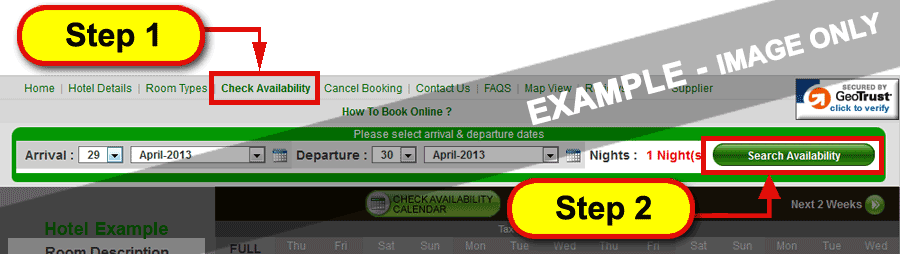
Step 1 : Go to "Check Availability" page to see the search box.
Step 2 : Select "Arrival" and "Departure" Date. Click "Search Availability" button to proceed.
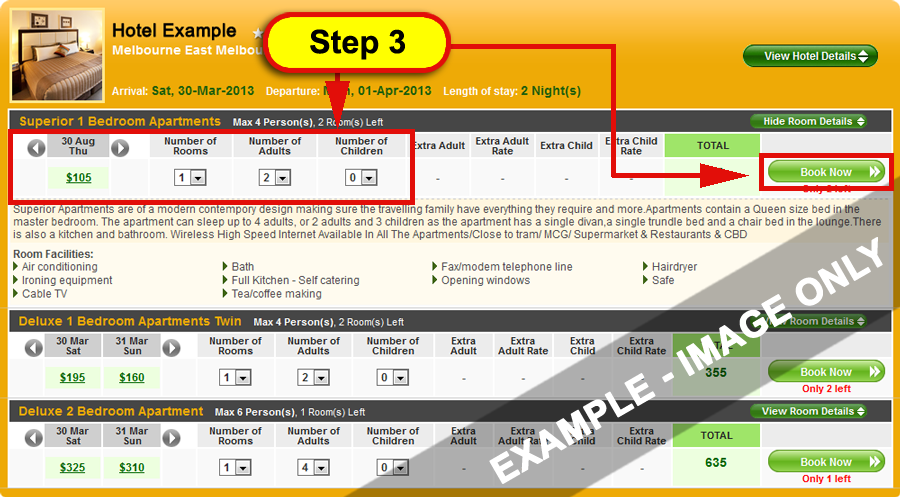
Step 3 : Select "Number of Rooms", "Number of Adults", "Number of Children" and Click on "Book Now" button to proceed to booking.
Q2 - How to find out, how much discount is available?
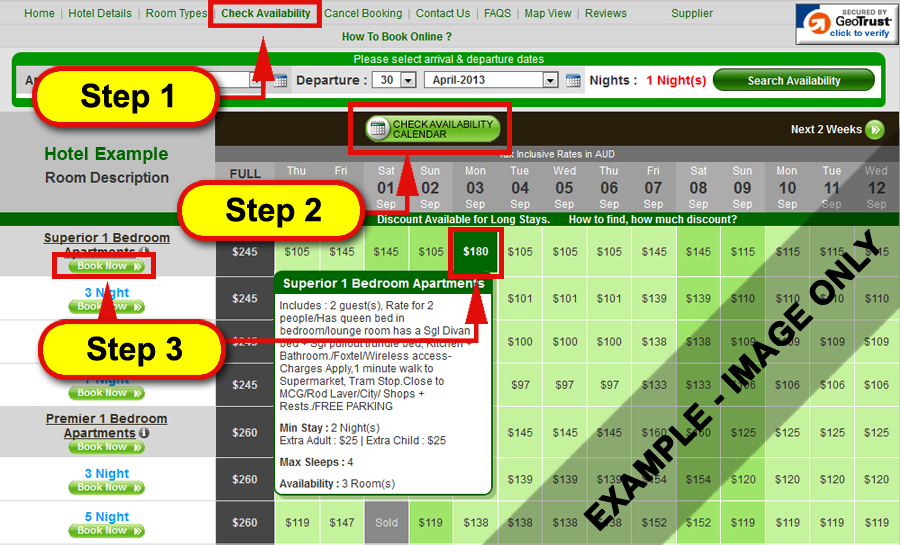
Step 1 : Click on "Check Availability" link from top navigation menu.
Step 2 : Check Availability
Enter your arrival date in the availability form and click on "Check Availability" button.
Step 3 : Select Rate to Book
Put your mouse cursor over the rates to view inclusions. Click on "Book Now" link next to the room type OR the rate you would like to book.
All Boxes With Rates = Room Available.
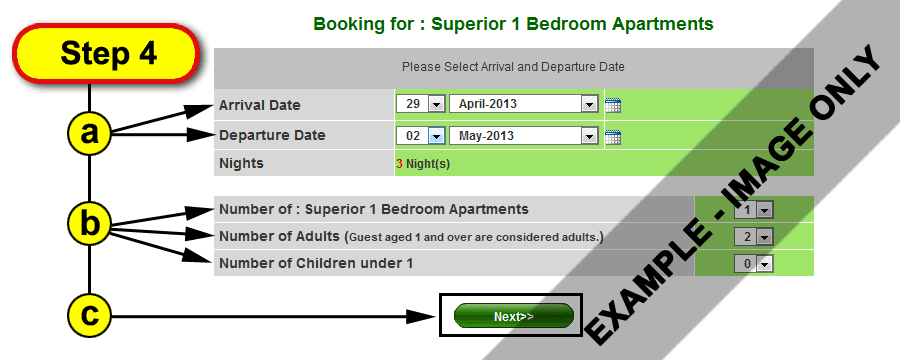
Step 4 : Select Date of Stay and Units Required
a. Enter Arrival Date and Departure Date.
b. Enter number of rooms required, adults and children.
c. Click on "Next" button.
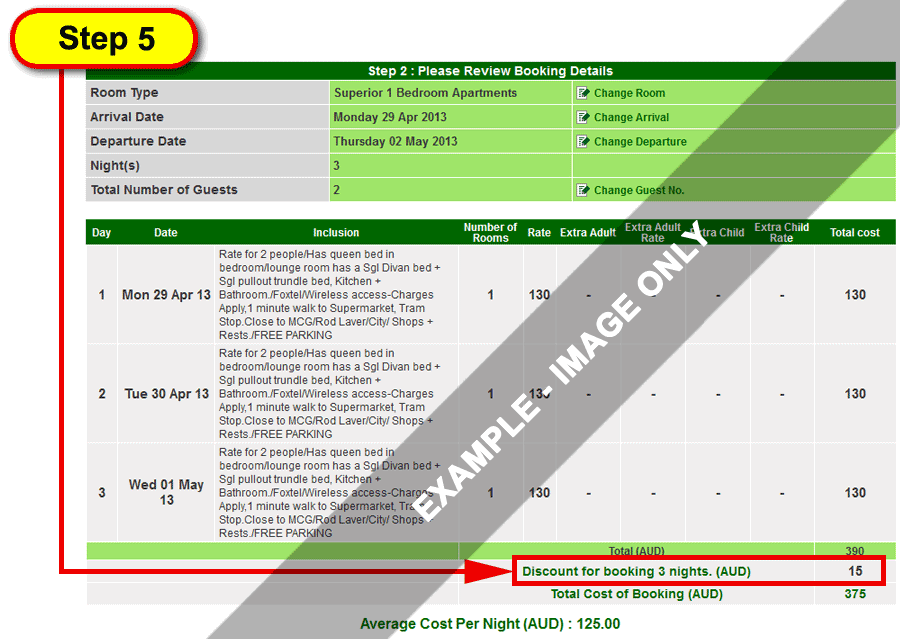
Step 5 : View Discount and Total Cost of Booking
Q3 - How to Use Chart to Search Rates & Availability?
Follow the Steps 1-5 above to make a booking and you will find the discount available for your booking.
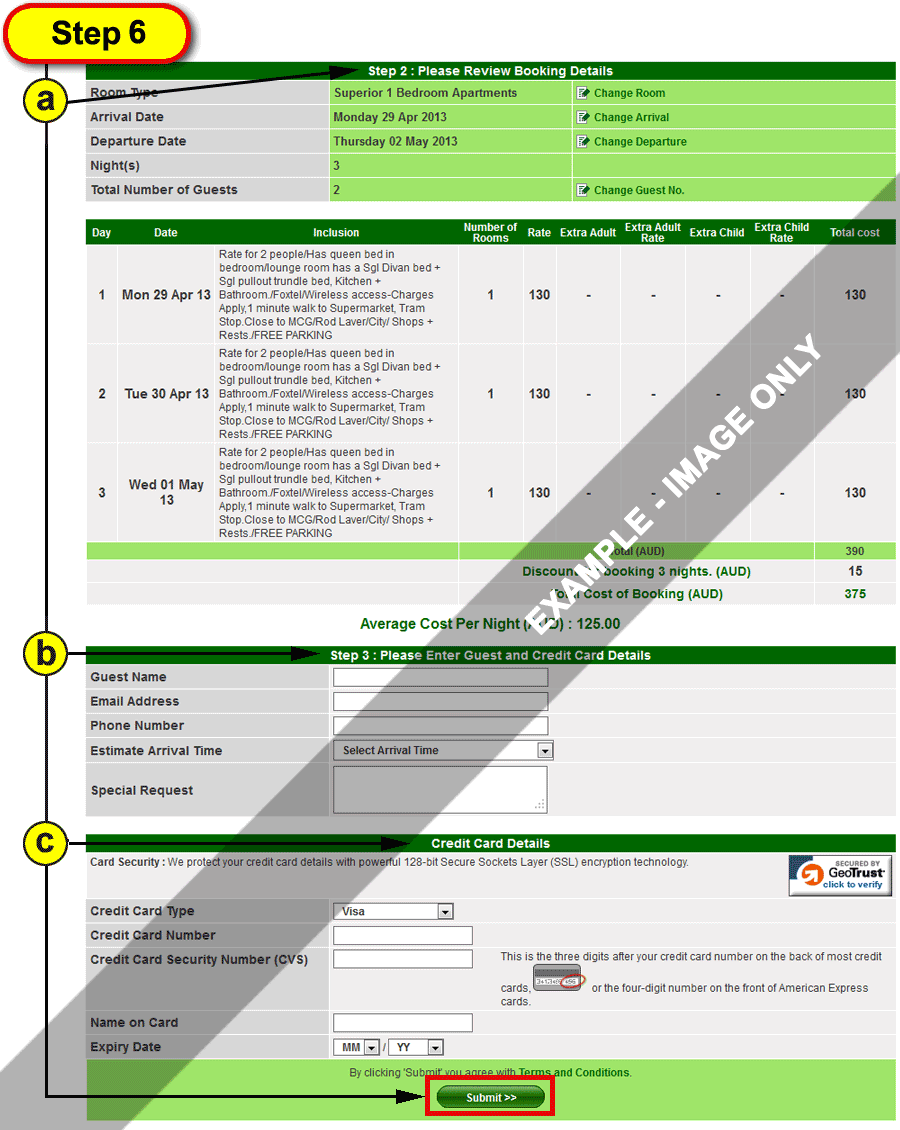
Step 6 : Confirm Details & Submit Booking
a. Confirm your booking details.
b. Fill in your details.
c. Click on "Submit" button.